

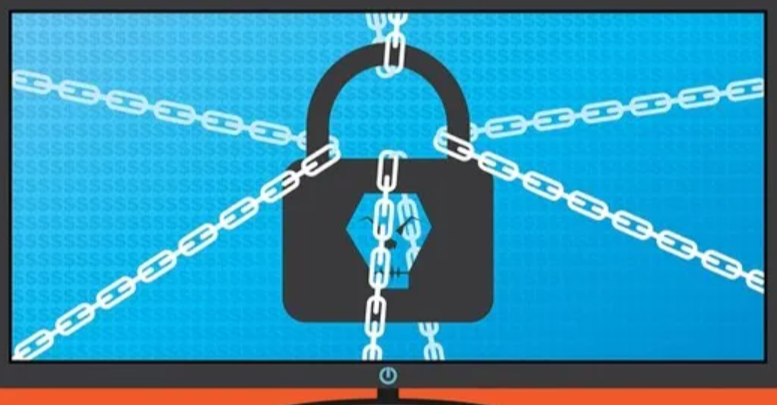
Your backup platform can read every file on every server, holds credentials for the systems it protects, and often runs with rights that were granted once and never questioned. That combination makes it one of the most valuable targets on an internal network, and ransomware crews reached the same conclusion years ago. The NCSC’s guidance on offline backups exists because attackers now go for the backup before they go for the data.
Image: Picture15.jpg | Alt text: Screen showing a padlock in chains representing an attack on backup infrastructure
Caption: Attackers reach the backup first, because it decides whether you can refuse to pay.
Why the platform holds so much power
To back up a domain controller, the system needs to read the directory database, which contains every password hash in the domain. To restore a file server, it needs to write anywhere. Agents typically run as a privileged local account, and the management console stores credentials for hypervisors, databases and network devices so jobs can run unattended. Compromise the console and you do not need to attack anything else, because you can restore a domain controller backup to a machine you control and extract the credentials at your leisure.
The configurations we find
The service account is the usual finding, holding domain administrator rights because the installation guide from a decade ago suggested it and nobody revisited the requirement. Then there is the management interface published to the whole internal network with local authentication and no multi-factor prompt. Backup appliances arrive with default credentials on a web console, and those consoles are rarely included in vulnerability management because the device is treated as an appliance rather than a server. Each of these is fixable, and each survives because backup is owned by infrastructure teams while security reviews tend to look elsewhere.
“When we get a foothold on an internal network, the backup console is one of the first three places we look, alongside the deployment server and the monitoring platform. Those three systems legitimately hold credentials for everything else. If your privileged access model does not name them as tier zero, it has a hole in exactly the shape of an attacker.”
William Fieldhouse, Director, Aardwolf Security Ltd

Image: Picture22.png | Alt text: Attack path diagram showing movement from a backup console to domain controllers
Caption: One console with stored credentials removes the need to attack anything else.
Separating backup from the domain it protects
The strongest change is to stop the backup system depending on the identity it backs up. Use local accounts or a separate directory for backup administration, so a compromised domain does not hand over the recovery capability. Require multi-factor authentication on the console, restrict management access to a small set of administrative workstations, and remove the service account from domain administrators by granting the specific rights the product genuinely needs. Immutable or offline copies complete the picture, because an attacker who reaches the console can otherwise delete the retention policy along with the backups.
Proving it during a test
Ask for the backup platform to be in scope explicitly, since generic internal tests sometimes treat it as out of bounds for fear of disruption. Reading configuration, checking service account rights and attempting console access carry no risk to the backups themselves. Internal infrastructure testing should report the path from an ordinary user to the console, and an experienced testing provider will also check whether restore permissions are separated from backup permissions, which is the control that stops a helpdesk account extracting the directory database.
Frequently asked questions about backup security
These questions come up whenever ransomware resilience is reviewed.
Do immutable backups solve this?
They solve deletion and not disclosure. An attacker who can restore from an immutable copy still reads every file in it, so access control on the console matters as much as retention protection.
Should backup admins be domain admins?
No. Grant the specific privileges the product requires and keep the roles separate. If the vendor insists on domain administrator, ask them which rights are actually used, because the answer is usually a much shorter list.



 What Makes Unrepaired Collision Damage So Bad For Resale?